Emergency Sweep of Contaminated Sub-Contracts

A user's sub-contract can sometimes be contaminated by malicious transfers (e.g., receiving blacklisted USDT). If a normal sweep is performed, the blacklisted funds would be transferred into the cold contract, putting the merchant's main funds at risk. To prevent this, merchants should first blacklist the contaminated sub-contract to exclude it from the normal sweep flow, then use the emergency sweep feature to sweep the funds to a safe external address instead of the cold contract, achieving risk isolation.
The steps to use the emergency sweep feature are as follows:
1. Blacklist the Sub-Contract
When the merchant's KYT (Know Your Transaction) system detects that an incoming payment contains blacklisted USDT, call the Add User Sub-Contract to Blacklist API immediately to blacklist the contaminated sub-contract. Blacklisted sub-contracts will no longer be used for payment and will be excluded from the normal sweep flow.
2. Set the Emergency Sweep Address
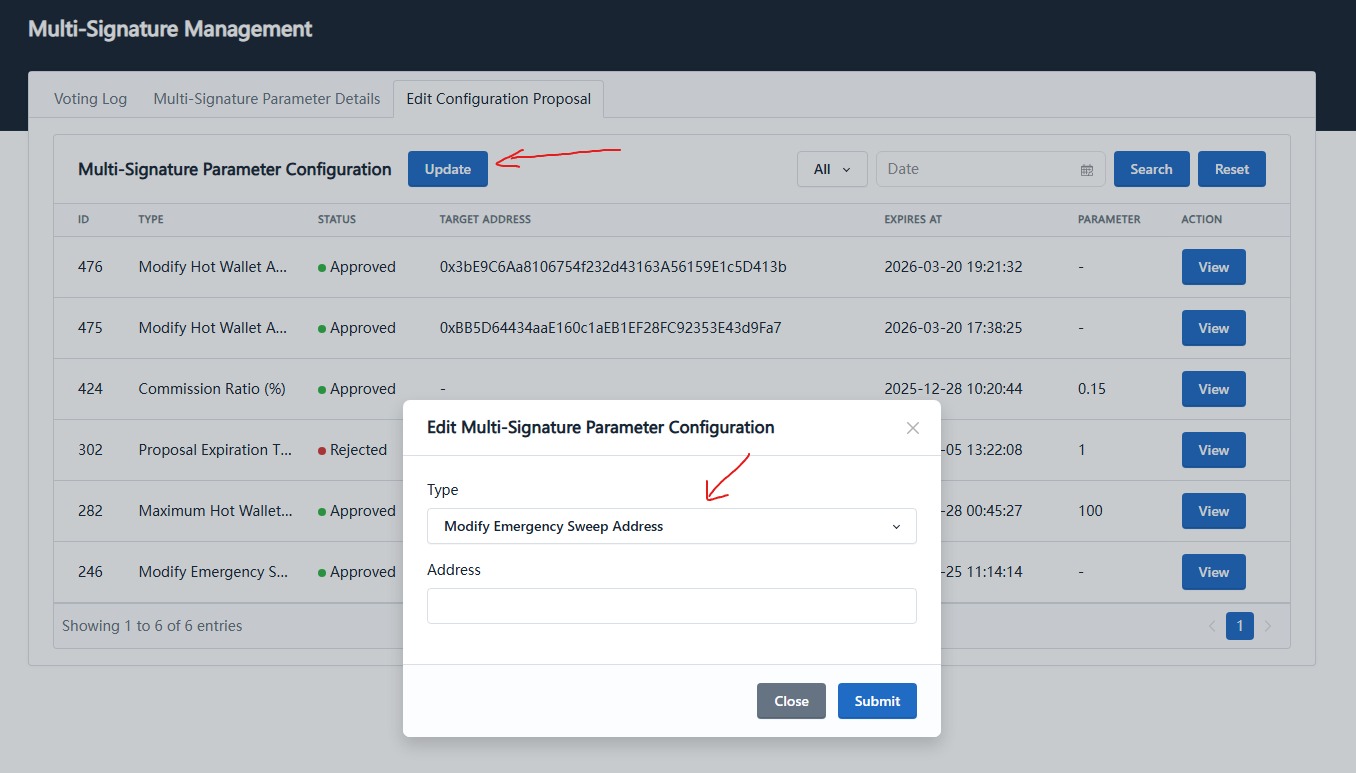
Log in to the merchant console with an admin wallet, go to the Multi-Sig Management page, edit the multi-sig parameter configuration, select Modify Emergency Sweep Address, and enter a safe external address. The change takes effect once the multi-sig approval is complete.
3. Execute the Emergency Sweep
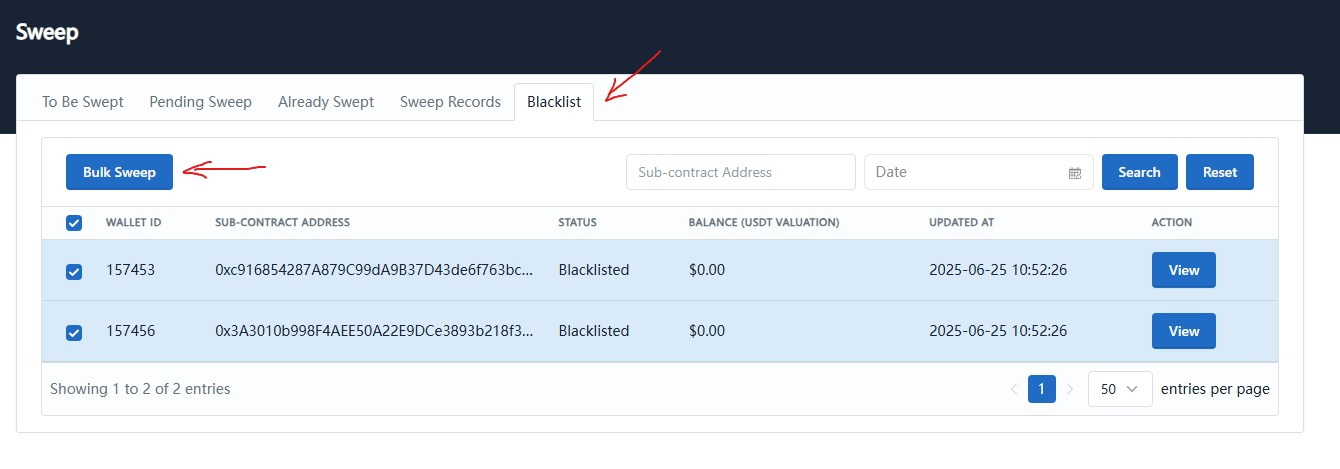
Go to the Sweep page and select the Blacklist tab to view the previously blacklisted sub-contracts. Select the sub-contracts to sweep and click the Batch Sweep button. The system will sweep the funds from those sub-contracts to the emergency sweep address configured in the previous step.